The best terminal setup for AI coding agents
2026-11-14 · 4 min read
An agent finishes and a notification fires. Where a click lands depends on the terminal and how the banner was made, and in tmux it cannot pick the pane. With several sessions open, finding the right one is what a terminal setup should fix, not fonts or render speed.
- Use the terminal you like. Return precision matters more than the terminal.
- Pro returns to the exact tab or pane in 11 listed terminals and multiplexers. Others return to the window.
- The free tier notifies you but does not return you to the session.
Two costs, not one
Wait time is staring at a terminal until an agent finishes. Find time is working out which tab, window, or pane the agent was in.
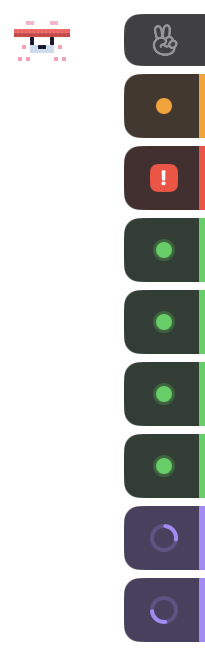
Notifications help with the first. For the second, where a click lands depends on the terminal and how the banner was made. In our Ghostty test a terminal-made banner focused the right split, and in tmux a click never picks the pane. We did not test hook or script banners. back2vibing is a macOS overlay on the terminals you already use. It shows a status per session, plays a chime, and with Pro returns you to the session.
Where Pro returns you
The free GUI tier keeps every session visible with status, a completion sound, and macOS notifications. Returning to a session at all, whether application, tab, or pane, is Pro.
| Return level | Terminals |
|---|---|
| Exact tab or pane (Pro) | Ghostty, iTerm2, cmux, WezTerm, kitty, Warp, Apple Terminal, Orca, the Herdr app, tmux, Zellij |
| Window only (Pro) | Alacritty |
Picking a terminal
Ghostty, iTerm2, WezTerm, kitty, Warp, and Apple Terminal all return to the exact tab or pane, so pick the one you will not fight with. Tabs, splits, or one window per project all work, because the return target is captured when the agent starts.
Alacritty has no tabs or panes, so return is window-level. Run agents inside tmux or Zellij there and Pro returns to the exact multiplexer pane.
When to add tmux
tmux is optional. Add it when agents should survive a closed terminal, or when you want exact tmux pane return. It needs tmux 3.0 or newer, locally and on any remote host.
In Settings, Launch, set Multiplexer to tmux, Herdr, or Zellij. Then run the agent normally or start it with b2v and the agent name, for example b2v claude.
brew install tmux
b2v claude
Check it once
Open Agents in the app and confirm each integration shows Active. Then start an agent, send a short prompt, switch away, and confirm the completion returns you to the expected target. Do this once per terminal and multiplexer combination.
Try back2vibing
Every new install includes a 14-day Pro trial, and Pro is a one-time $19 lifetime license.
$
brew tap builtby-win/back2vibing https://github.com/builtby-win/back2vibing && brew install --cask back2vibing Install via Homebrew macOS
Frequently asked questions
Which terminal is best for running Claude Code?
Ghostty, iTerm2, WezTerm, and kitty all support exact tab or pane return in Pro. Choose the one you prefer.
Does back2vibing replace my terminal?
No. It overlays the terminals you already use.
Can I use Alacritty?
Yes, with window-level return. For exact pane return, run agents inside tmux or Zellij.
Do I need tmux?
No. It helps when you want agents to persist after a terminal closes or want exact tmux pane return.
What do I get without Pro?
After the 14-day trial, the free tier keeps status, sounds, and notifications. It does not return you to a tab or pane.
Keep reading
- Claude Code in tmux with multiple agents
- How to never lose a Claude Code tab
- How to run multiple Claude Code agents at once
- Raycast for coding agents: one shortcut to every agent session
- Claude Code in Ghostty
- Claude Code in iTerm2
- Claude Code in WezTerm
- Claude Code in kitty
- Claude Code in Alacritty
- Claude Code in Herdr
- tmux support
- Supported agents and apps
- Pricing