back2vibing vs Orca: an overlay or a workspace app
2026-11-14 · 3 min read
Orca hosts your agent workspaces and terminals. back2vibing is an overlay that watches the agents you already run. A plain notification does not guarantee you reach the right session. back2vibing Pro returns you to the exact tab or pane, including inside Orca.
- Orca is a place to work. back2vibing is a layer over the places you already work.
- They combine: back2vibing can create workspaces through Orca and Pro returns to Orca tabs and panes.
- The free tier notifies. Returning to the session is Pro.
Two different jobs
A workspace app is a place. Agents run in its windows and follow its model of a workspace.
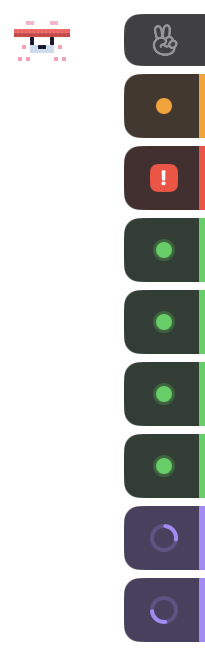
back2vibing is a Session Rail pinned to a screen edge, with one tab per agent session. A Claude Code run in Ghostty, a Codex run in tmux, and a Cursor session all show on the same rail, each with a status.
| Orca | back2vibing | |
|---|---|---|
| What it is | App that hosts workspaces and terminals | Overlay on the tools you already use |
| Where agents run | Inside Orca | Wherever you start them |
| Status view | In Orca | One rail across every terminal and agent app |
They work together
In Settings, Workspaces, choose Orca to create workspace files. Orca creates the worktree and starts your agent in the first terminal. Orca must be running with the repository already added.
Orca is also a terminal Pro can return to at the exact tab or pane. One documented limit: Orca cannot fork, so back2vibing creates forked workspaces itself.
Which fits
Choose a workspace app if you want one app to own worktrees, terminals, and layout. Sessions outside it, such as plain terminals, SSH, or desktop agent apps, stay outside.
Choose back2vibing if your agents are already spread across Ghostty, iTerm2, tmux, and Cursor. back2vibing can also create isolated workspaces itself, for free, or you can skip that and only track agents you start.
Try back2vibing
Every new install includes a 14-day Pro trial, and Pro is a one-time $19 lifetime license.
$
brew tap builtby-win/back2vibing https://github.com/builtby-win/back2vibing && brew install --cask back2vibing Install via Homebrew macOS
Frequently asked questions
Is back2vibing a replacement for Orca?
No. Orca hosts workspaces and terminals. back2vibing overlays the tools you already use. You can use both.
Does back2vibing work with Orca?
Yes. Choose Orca under Settings, Workspaces to create workspace files, and Pro returns to exact Orca tabs or panes. Orca must be running with the repository added.
Do I have to move my agents into back2vibing?
No. It tracks supported agents where they already run.
Is back2vibing free?
The free tier keeps live status, notifications, and sounds. New installs get a 14-day Pro trial. Returning to a session is Pro.